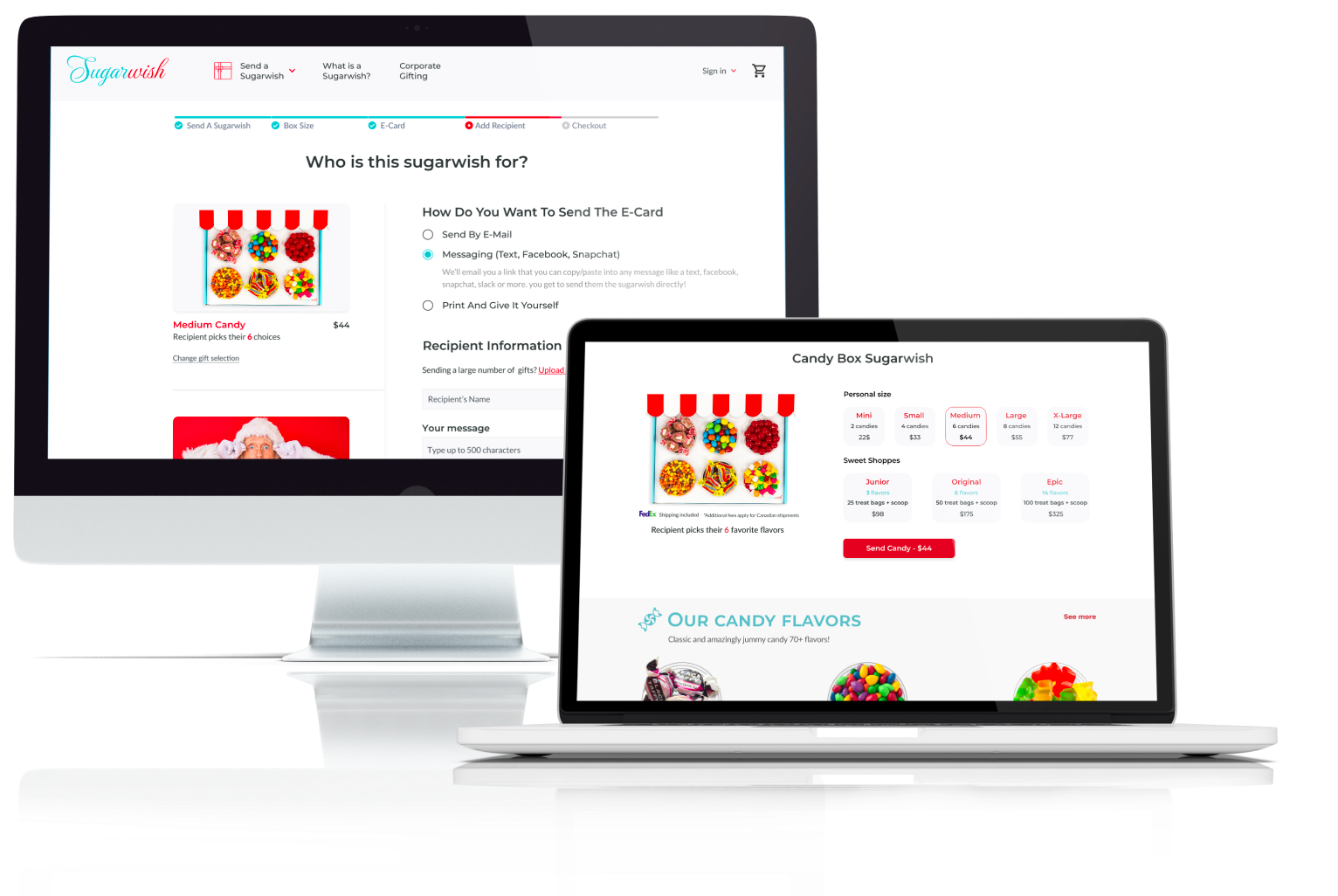
Re-design of the Sugarwish ordering process
The existing ordering flow led users to give up when confronted with certain choices.
As part of the UX/UI Academy at Brainster, we were asked to work on redesign on small subset of screens of already existing website. Our ideas and final solution should be designed in such a way that can be applied without influence on the consistency and the design of the already existing website. Our solution was chosen by the company as the winning one among the eight presented.
01 · Project overview
What is Sugarwish?
Sugarwish is a unique gifting startup company based in Denver, Colorado. With a Sugarwish, the gift buyer is able to send an e-gift card digitally with no mailing address required. The gift recipient receives the eCard and is invited to go to the Sugarwish website to pick their favorite treats or beverages.
As part of the UX/UI Academy at Brainster, we were asked to work on redesign on small subset of screens of already existing website. Our ideas and final solution should be designed in such a way that can be applied without influence on the consistency and the design of the already existing website.
Our solution was chosen by the company as the winning one among the eight presented.
Role & team
On this task, I collaborated with Tijana Radeska and Jovan Jovanoski. As a team, we did usability testing and came up with pain points.
My responsibilities
Conducting stakeholder and user interview, User research, Ideate, User journey map, Wireframes, Prototyping, Iterating on designs and Usability testing to evaluate the new designs.
Client
Our client was Sugarwish. You can check their website at: www.sugarwish.com
02 · Problem & goal
The existing ordering flow led users to give up when confronted with certain choices
The challenge was to improve and create a better user experience and minimize the possible frustration during users journey on the Sugarwish website.
In order to detect frustrating moments, we did research to understand users, their shopping habits and the problems they have. It was critical to get all these insights before embarking on the redesign itself, to ensure that we are solving the right problems and aligned on the project goals.
2.1 Goal
Improve usability by providing a fun user experience and decrease flow abandonment
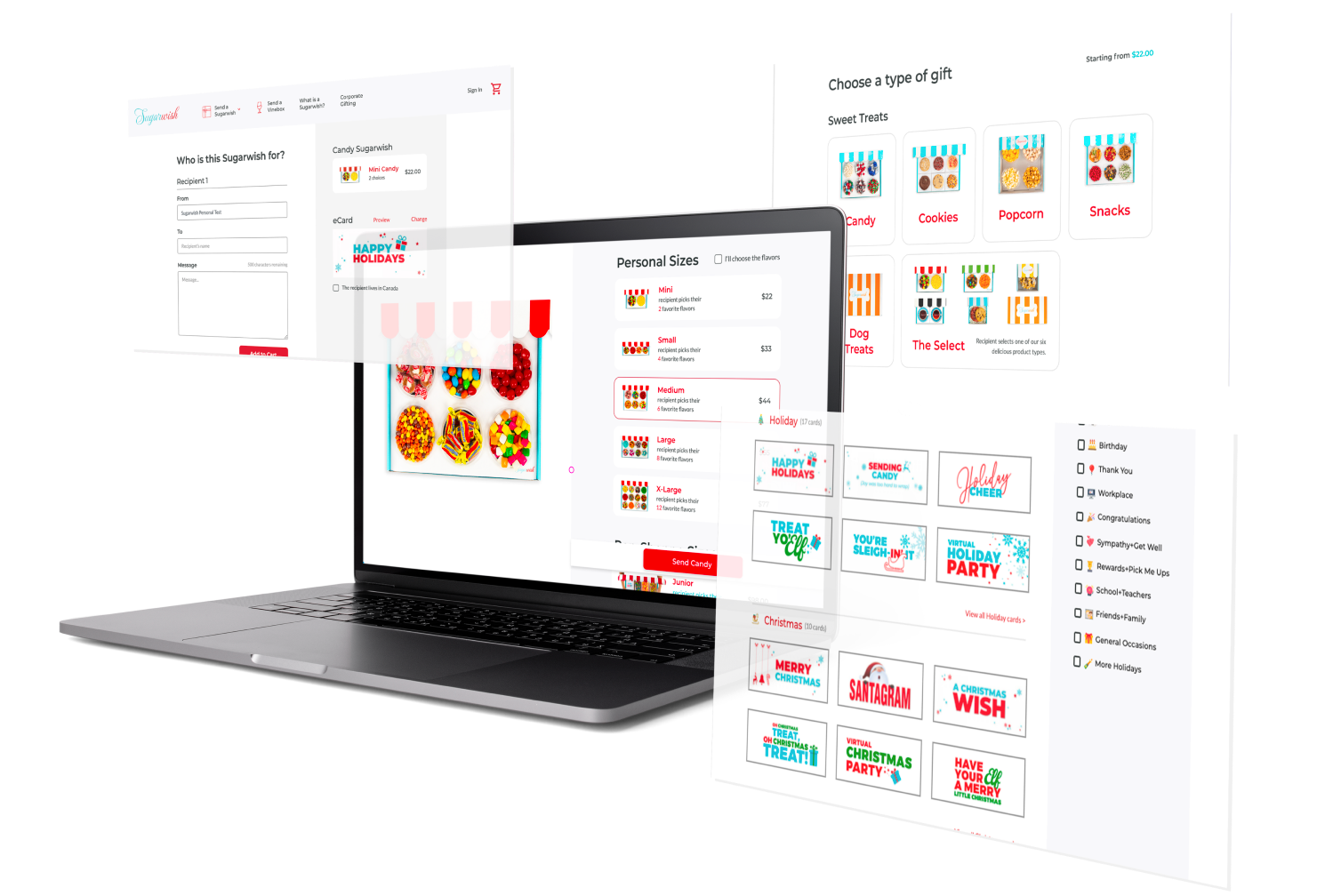
The main goal of the project was to re-think and re-design the user flow of the Sugarwish ordering process and generating research and ideas for C2C gifting experience without checkout. The main points of the user flow are: Choose a type of gift, Choose a size, Choose an eCard and Recipient Details. There are some intricacies and side-flows at each step which were not in scope of this project.
03 · Design process
Iterative approach, testing and improving the design throughout
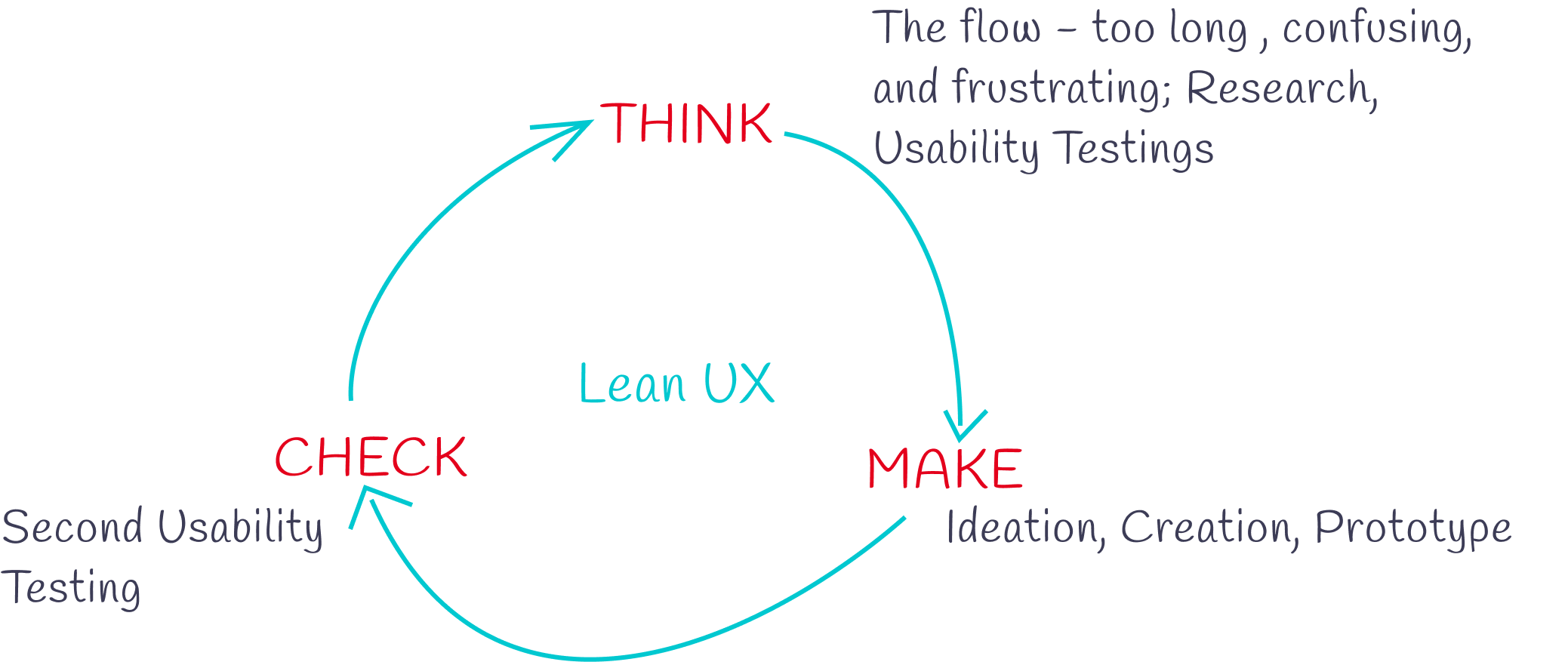
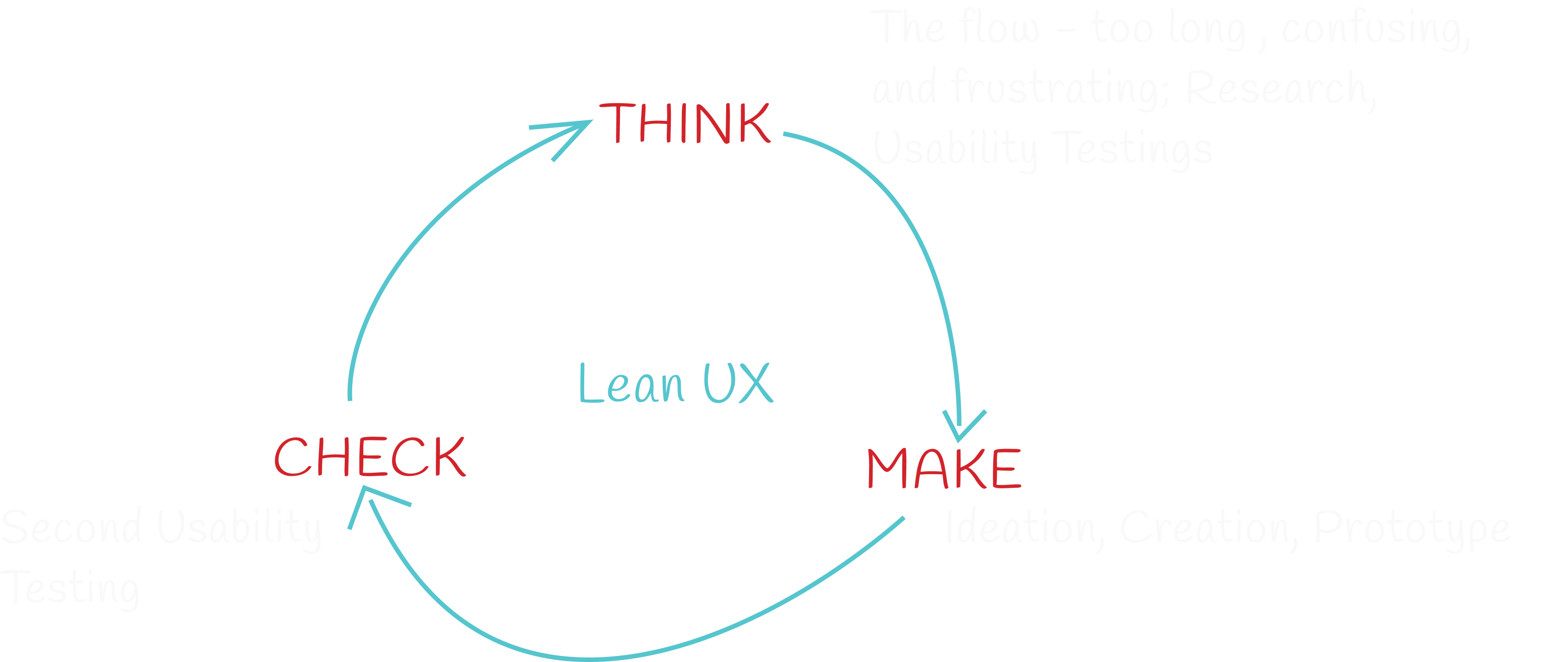
During the different phases of the project, I used a variety of research techniques to gather data and I incorporate the findings into the design. The flowchart below outlines the core stages of my redesign process.
3.1 · Stakeholder interview
New ideas on how to address segments of the flow or the flow in general would be considered as success
We kicked off the project by conducted stakeholder interview to get more insights, which helped me to make the right decisions and avoid end moment disappointments. During this stakeholder interview, I learned that the purpose of the redesign has been tackled several times and the highest bounce rate is on the page choose an e-card and second on choose a size page. With this information, I conducted a UX assessment to understand what needed to change to create the experience the client was desiring and meet user needs. The UX assessment included: Competitive UX analysis, Usability heuristic evaluation, Google reviews.
3.2 · Usability testing
Can purchasing be made easy and enjoyable?
Usability tests were conducted before any other research to determine the areas of the website that users found confusing and to potentially discover the existing pain-points. The usability test's goal is to uncover flaws and things that are not straightforward in the designs. Using the test findings, we can iterate the designs and create a much better, smoother user experience.
Due to ongoing COVID-19 restrictions, I conducted my usability testing remotely over Zoom, asking participants to share their screens and think aloud while being recorded going through the Sugarwish website. I asked users to place themselves in the following scenario:
- Visit sugarwish website, choose happy birthday card and buy a gift for one recipient. Your budget is 50$.
- Visit sugarwish website and buy medium box of candy for five recipients. At the end edit the box and instead of medium, buy large box popcorn.
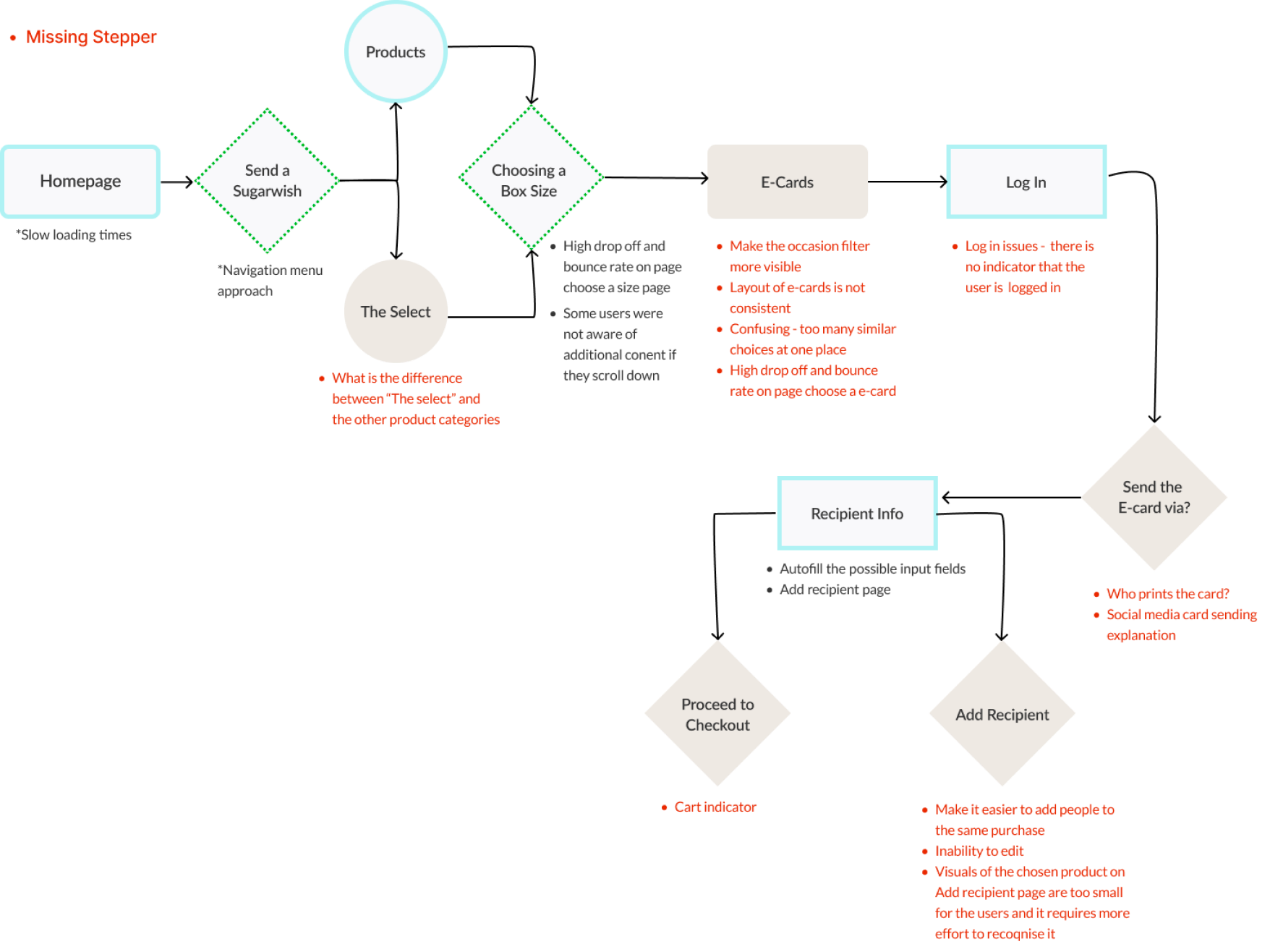
The user flow which detects the pain points of our users, at each step. Below are shown the key insights from the usability testing.
3.3 · User interview
Some of the users considered that the website might be a "scam"
User interviews were conducted after the usability testing so that I could understand better the users and what their needs and frustrations were. I conducted 3 face to face user interviews to understand their frustrations. The biggest surprise was some of the users considered that the site might be a "scam" because via the option "send the card via FB" there is no entry point for that particular information. The other given options for sending the eCard are Messaging and Print which were also not clear how they work and users were in doubt how to use them, and who print the card.
E-cards page, users found the design of the cards a little outdated and browsing the cards took too long.
"The Select" product is a special kind of gift with a deeper personalization experience. With "The Select", recipients are able to select the product type first (e.g. candy, popcorn, or cookies), and then choose their favorites within that product category. But even though the select is the most unique product and represents as high as 80% of Sugarwish sales user were confused about the product option "The Select", saying that it is not very clear what it is at first sight.
04 · Define
User persona
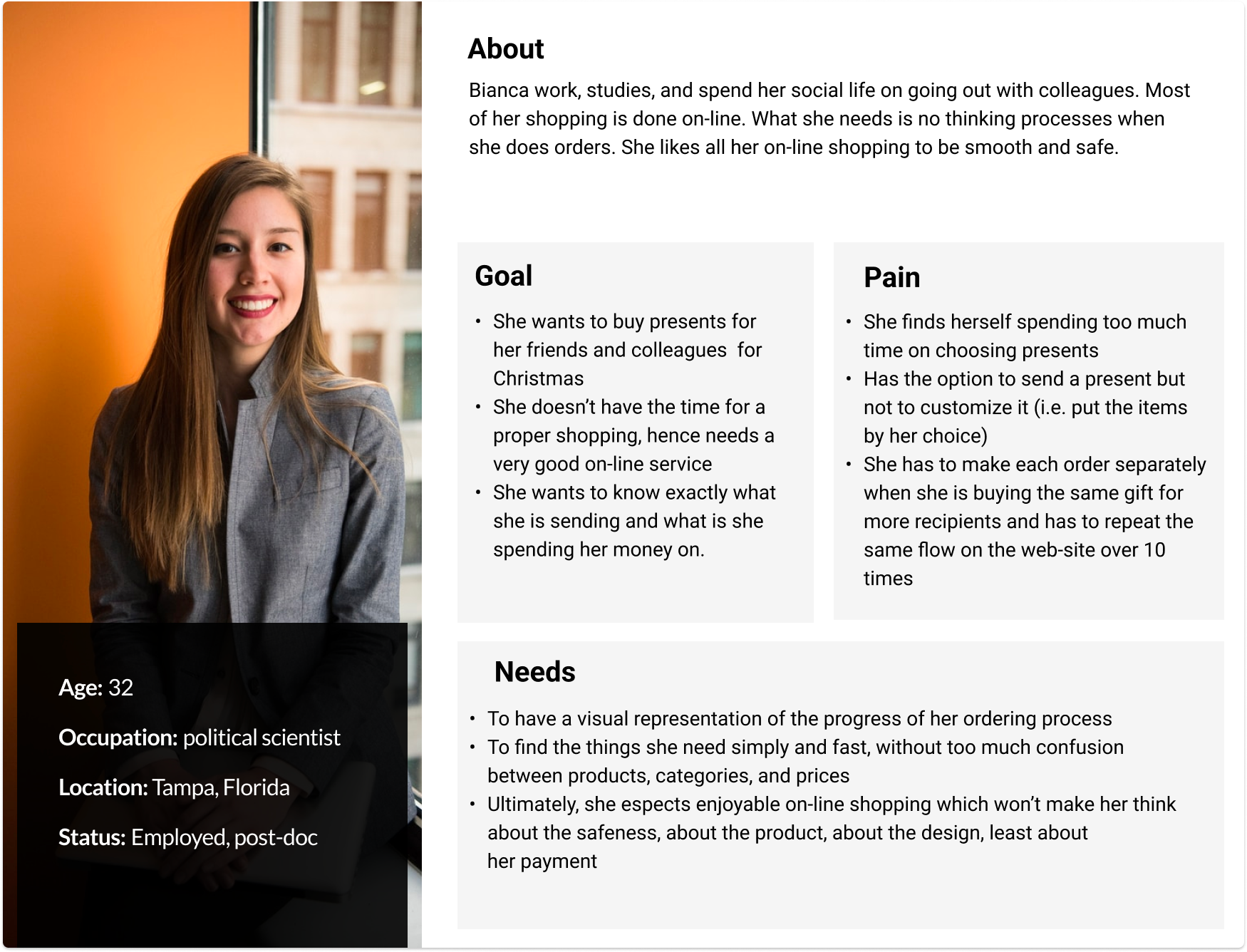
Based on insights from usability testing, we created a user persona to help keep the design process user-centered.
The goal was to get a clear understanding of the user needs before mapping out the relevant features for them. The user persona it's a fictional character who represents the target audience of the website.
User journey map
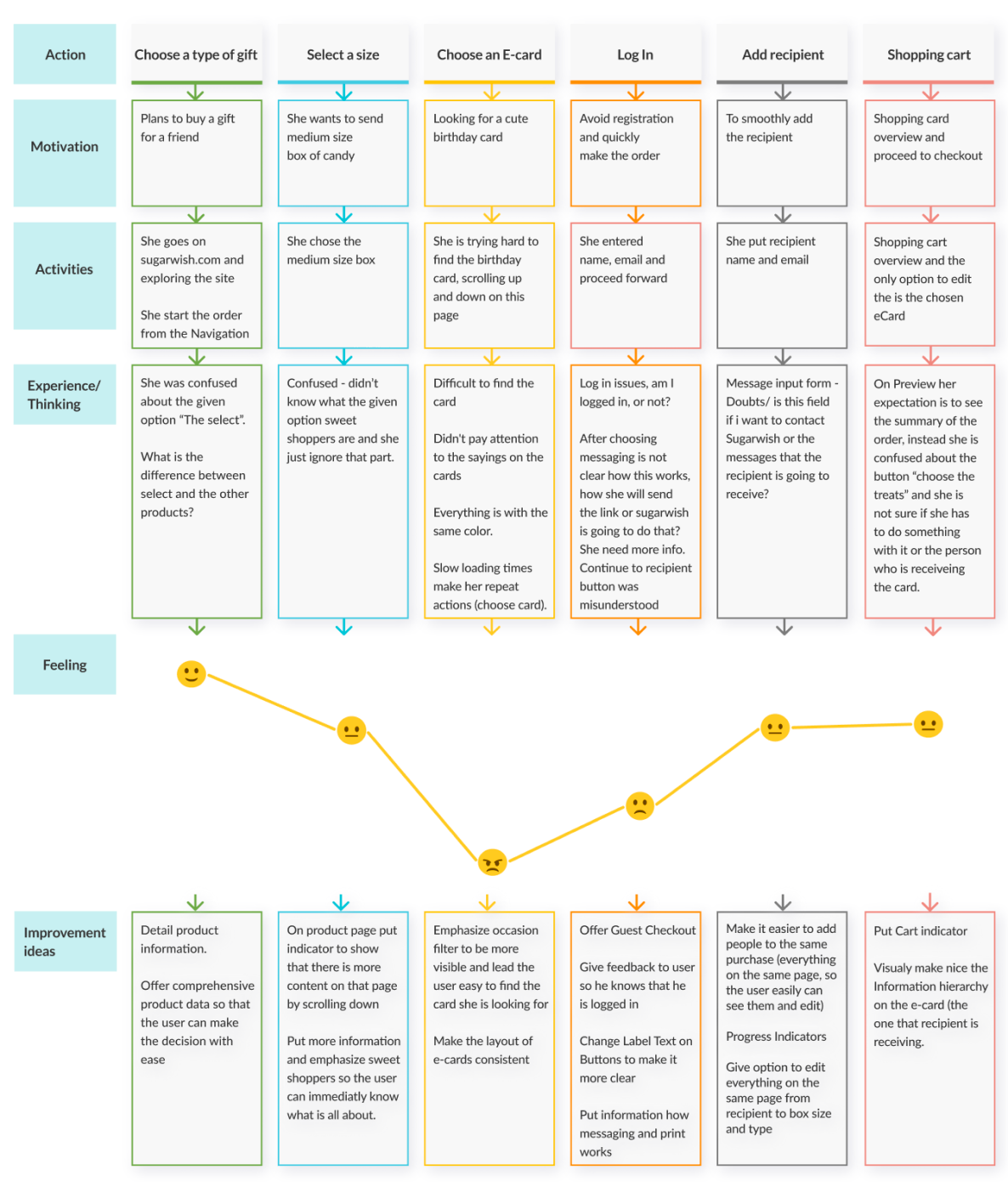
I made a visual representation of the user's journey map across all touchpoints of the sugarwish website to understand the frustrations a user might encounter at each step of the ordering process and where we can improve the user experience.
Scenario: Choose medium box of candy, with happy birthday card and at the end edit the cart and instead of medium box order large box.
05 · Ideate
Improve the user flow by giving the users option to choose and change products and add multiple recipients from the beginning of their journey
To solve the users needs in a way that provides value to the company we started brainstorming on the important features that we can improve on the website and came up with ideas on how to create a potential solutions for better user experience.
- Introduce progress bar to reduce uncertainty and indicate the stage of the ordering process
- We added an option to send the e-card today or schedule for later, making it possible for the user to completely skip the calendar step
- If the user adds more than one recipient, show all recipients on same page, give option with add more, so he doesn't have to click back and forward to add more recipients
- Explain the chosen delivery method immediately, to let the user know how it works if they choose email, messaging or print
- Give option to add different box size and type if they want to change their order
- Present "The select" and the other product options in different way so the user can immediately see what is the difference
- Offer guest log in and allow checkout without registration
06 · UI design
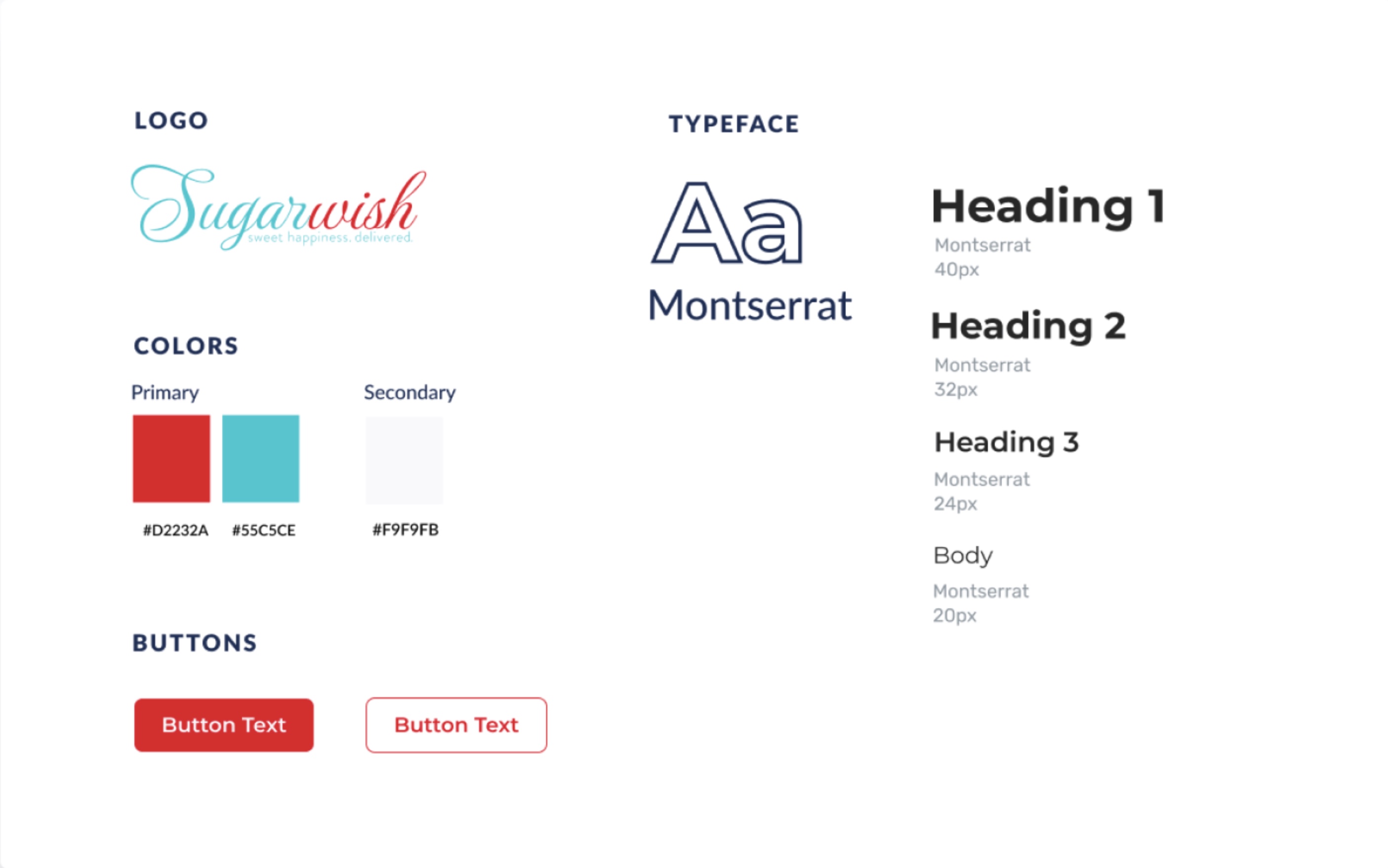
Design system
For this project we had access to Sugarwish design system library. This project taught me how to work within the constraints of an existing product and design within an existing system, relying on already present design patterns and components.
07 · Design, test, iterate
Problem/Solution
According to Jacob's Law, users prefer every site to work the same way as all the other sites they already know, therefore we embedded our decisions in the ux theories and common e-commerce practices. We based almost all our decisions and solutions on the results that we got from our usability testings. One that help us determine the pain points on the website and another that helped us to check whether our solutions have improved the same.
Progress Indicator/Stepper
Painpoint
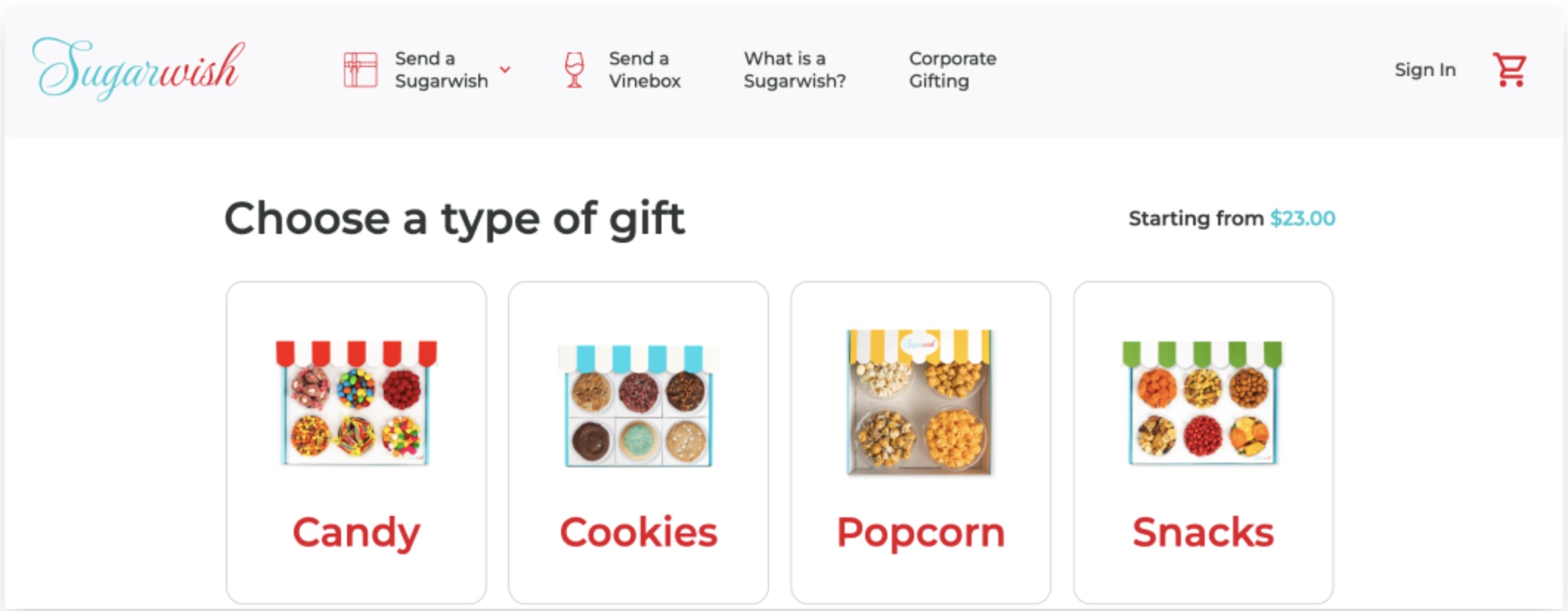
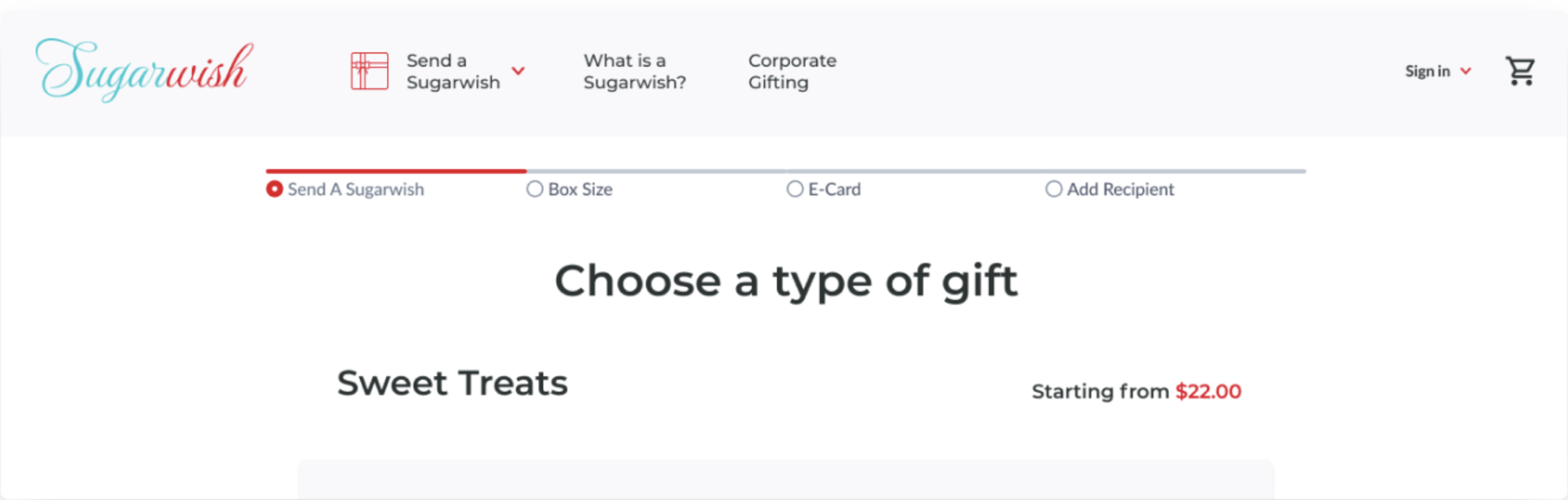
Missing an indicator to show the user what page they are on, and to have a mental map for how many steps are neccessary for them to finish the order.
Solution
We designed a progress indicator with the brand colors of Sugarwish, that would indicate the stage of the ordering process.
Before
After
Page: Choose a type of gift
Painpoint
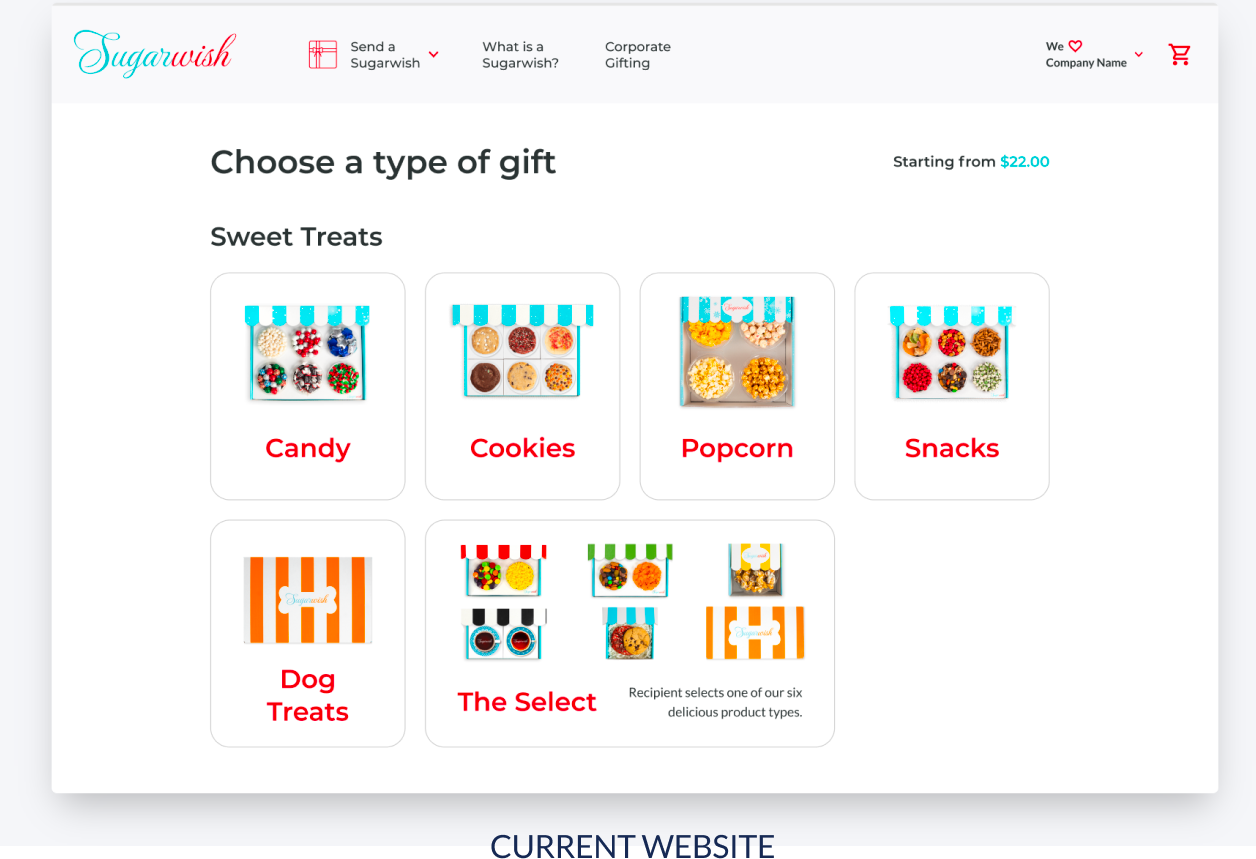
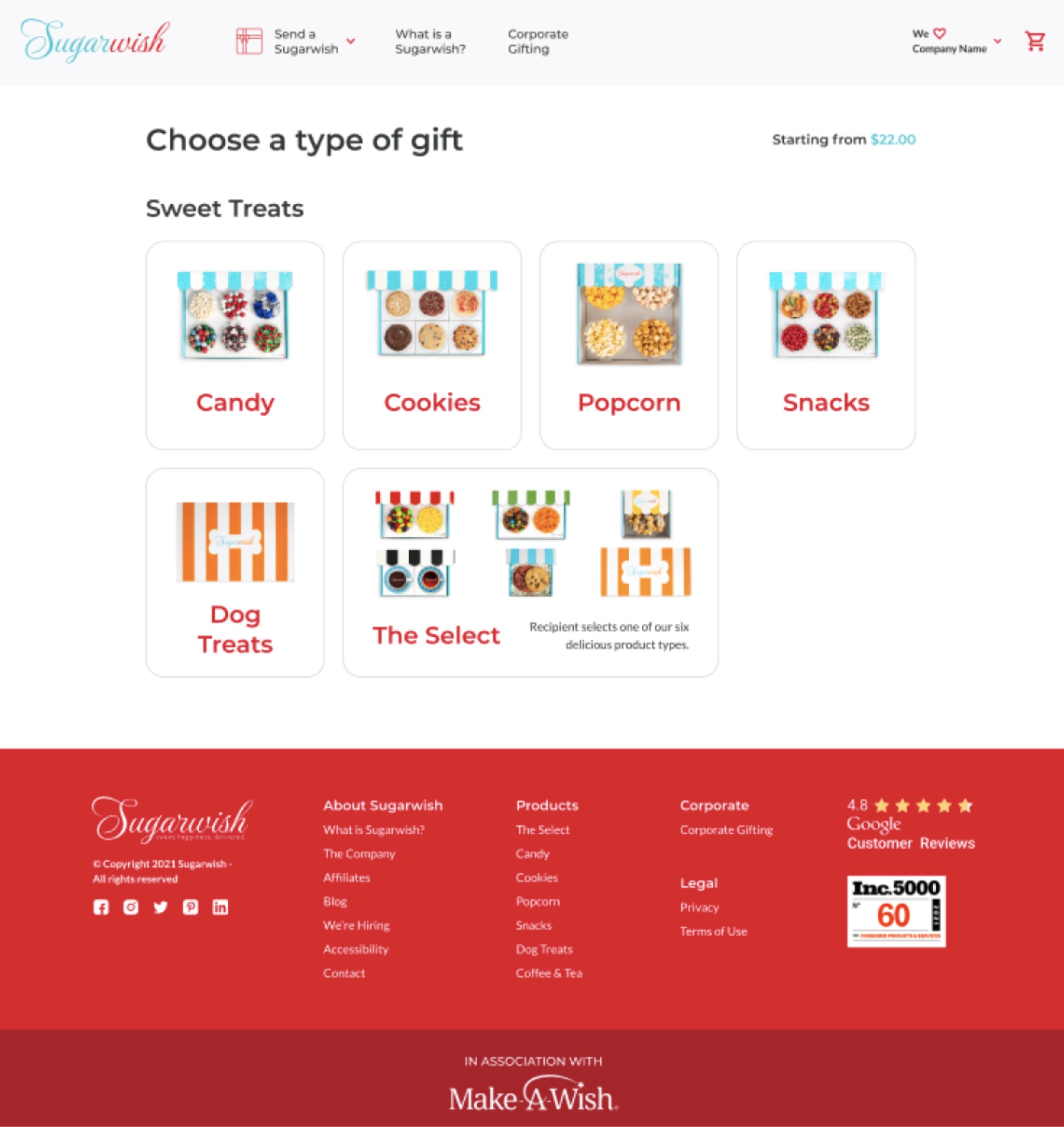
The Select is the most unique package at Sugarwish, allowing the user to choose a size of box and send it to the recipient who would choose their favorite treat and flavour.
However, our users were confused about what it actually is, and how it is different from the other products.
Solution
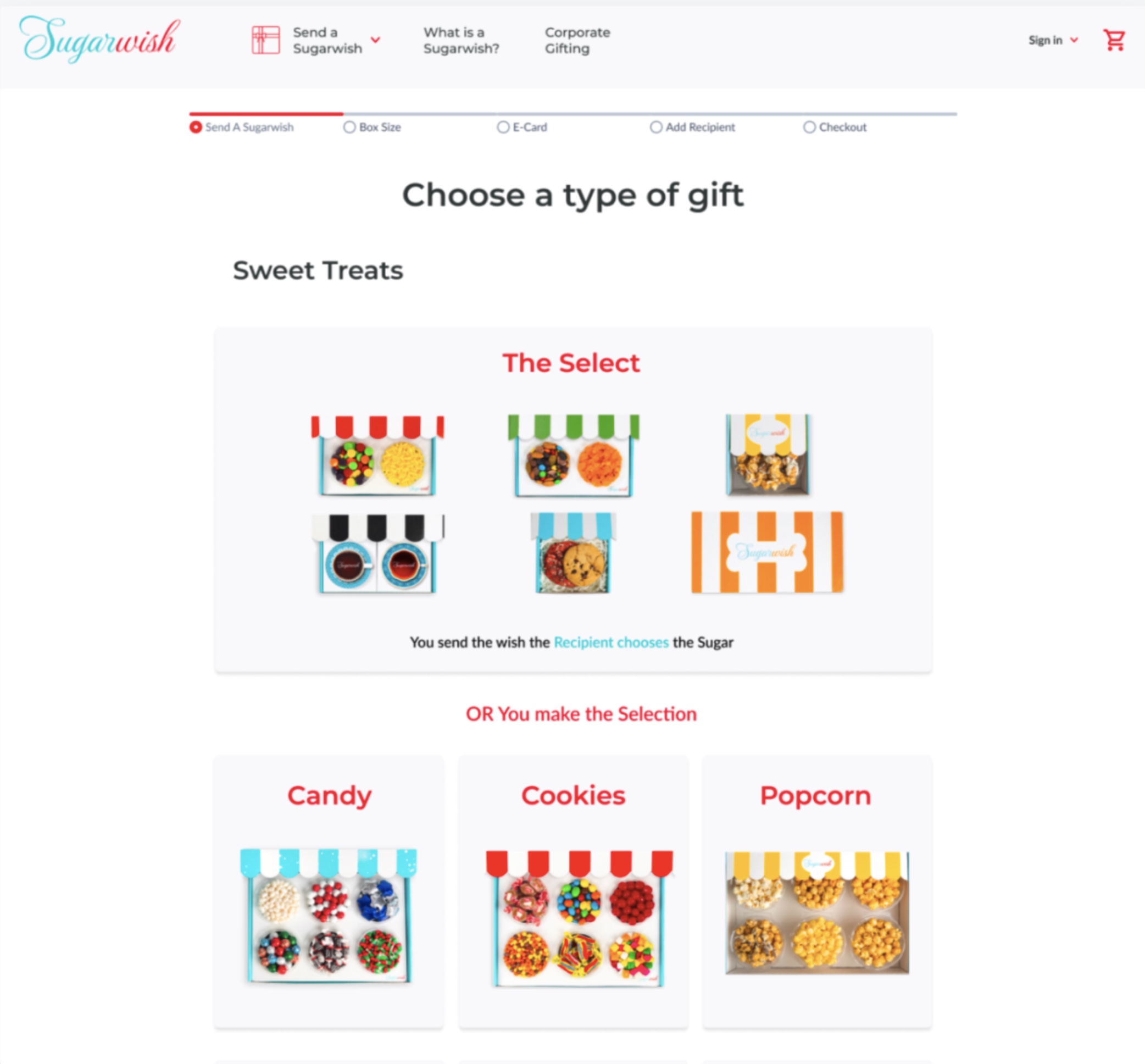
We changed the order of the products, accentuating "The Select" by making it more visible, hence giving it more importance. Also, we added a catchy copy text so that the user would get an idea how the product is different from the rest.
Painpoint
During the second usability testing, the users noted that it is still unclear what is "The Select" section, while the blue-colored copy in the box gave the impression of a link. The red-coloured copy which we created to separate the content and make it more clear, resulted in additional confusion about the hierarchy of the information as it had the same colour as the names of the products.
Final solution
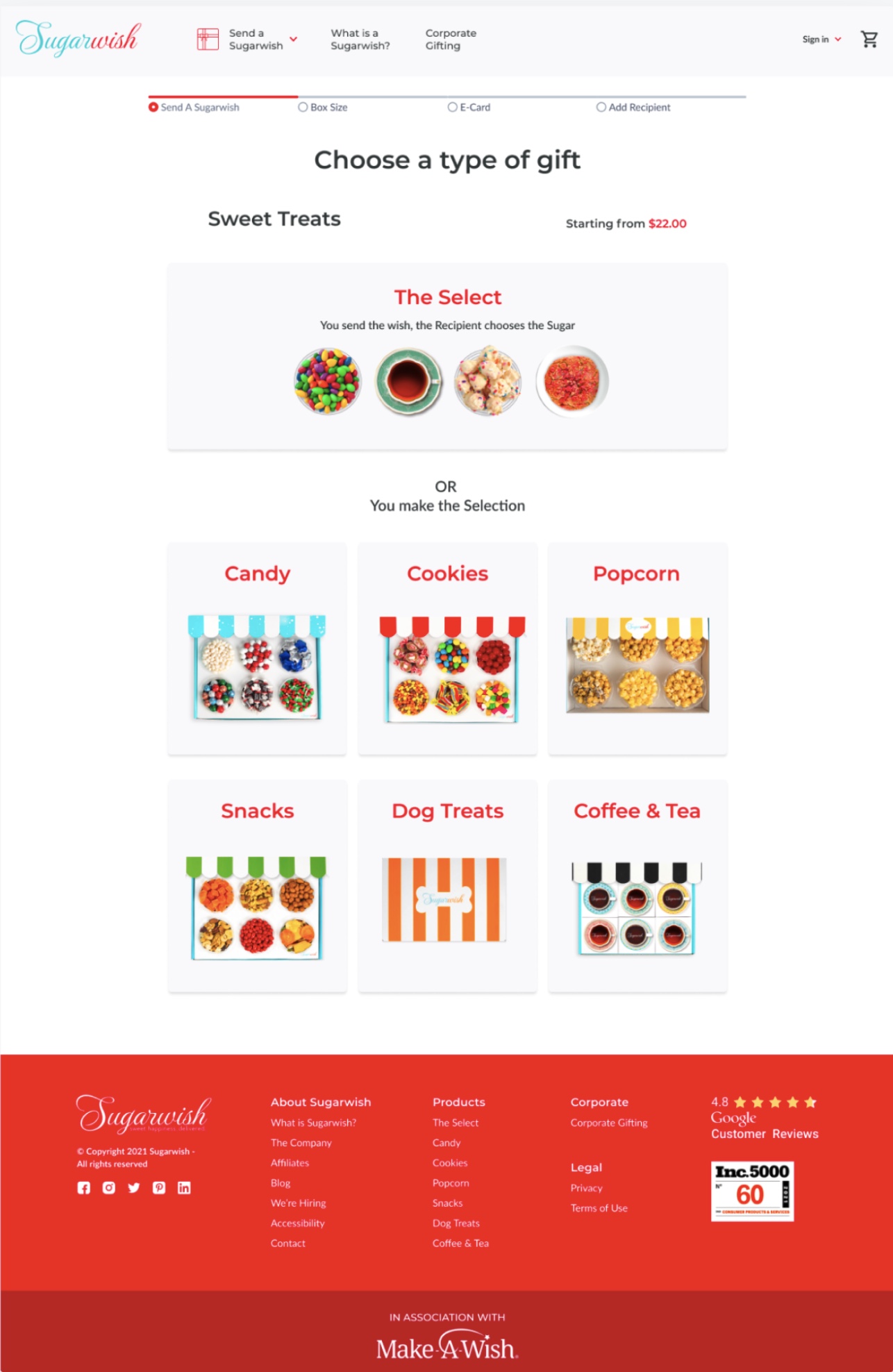
We re-designed "The Select" card, explaining it with a simple copy text, and improving the information hierarchy on the page and this time being very cautious about how we are using color.
Before
After
Page: Choose a size
Painpoint
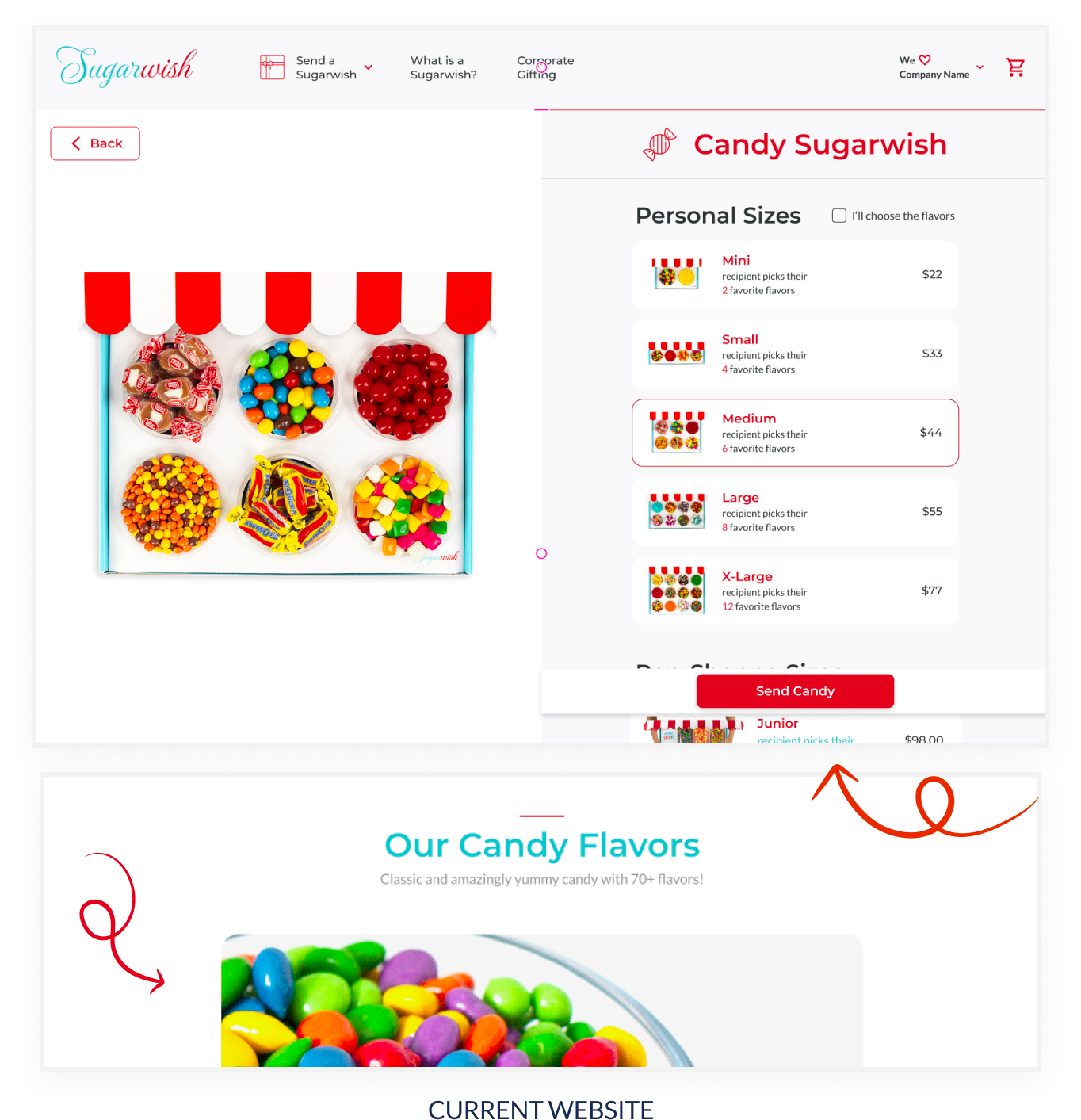
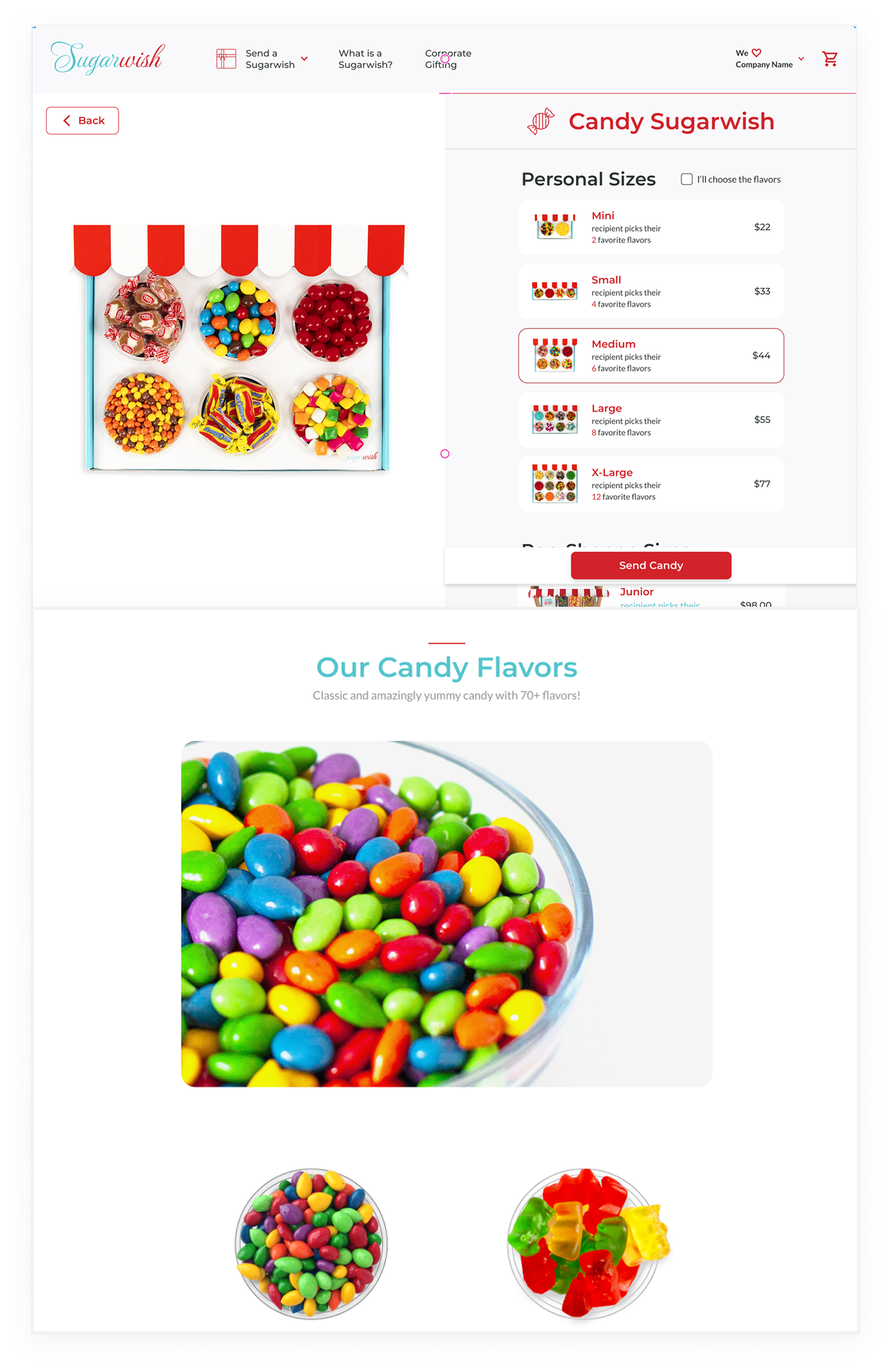
Most of the users did not scroll down the page while they were choosing a size of box, meaning that they failed to notice the "Sweet Shoppes" size, as well as the additional info about the products.
Solution
We redesigned the price cards so that the whole content is visible for the user without scrolling. With this design also the content regarding the products and flavors is above the fold, it's more visible for the user and harder to miss.
Painpoint
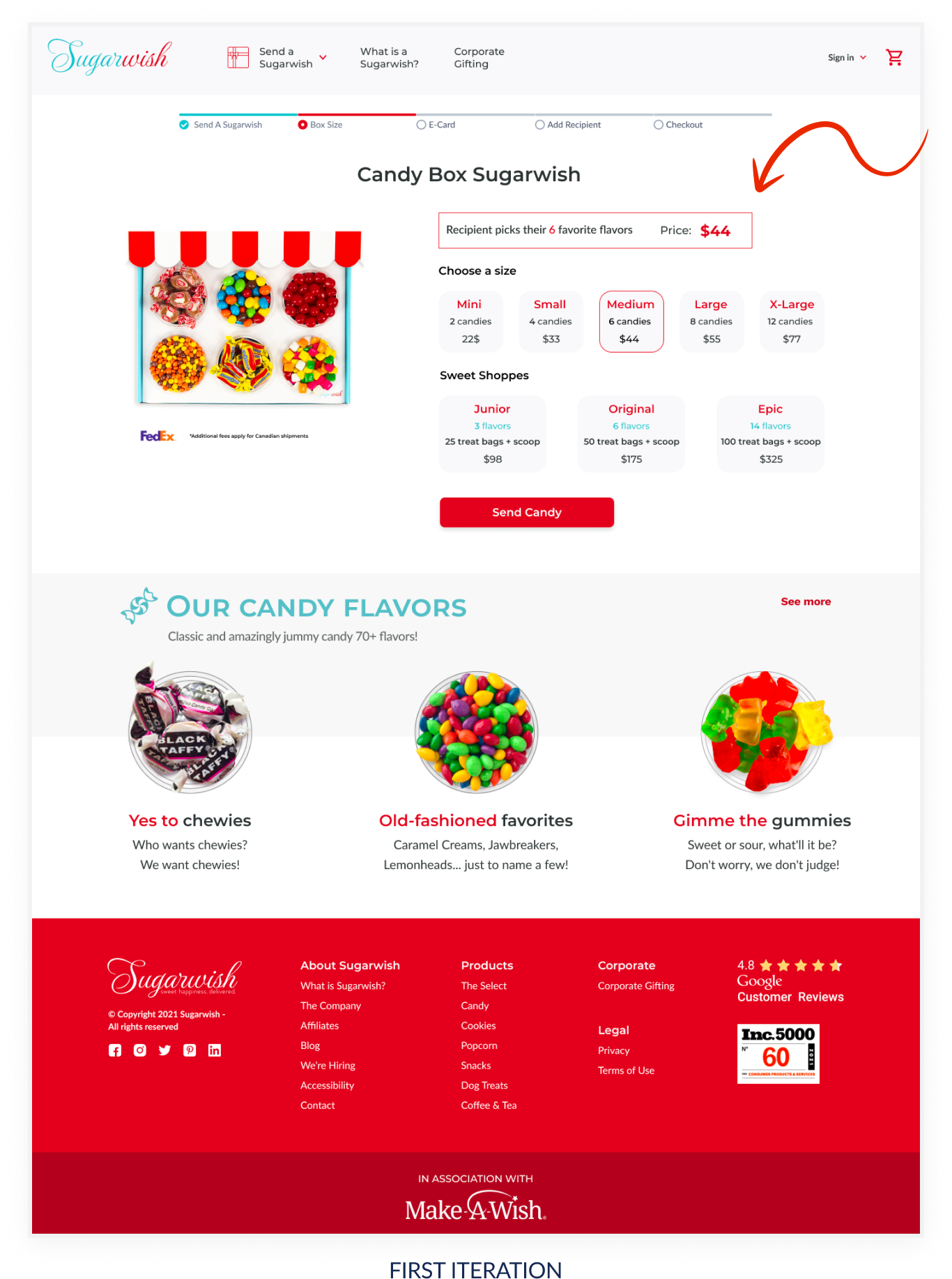
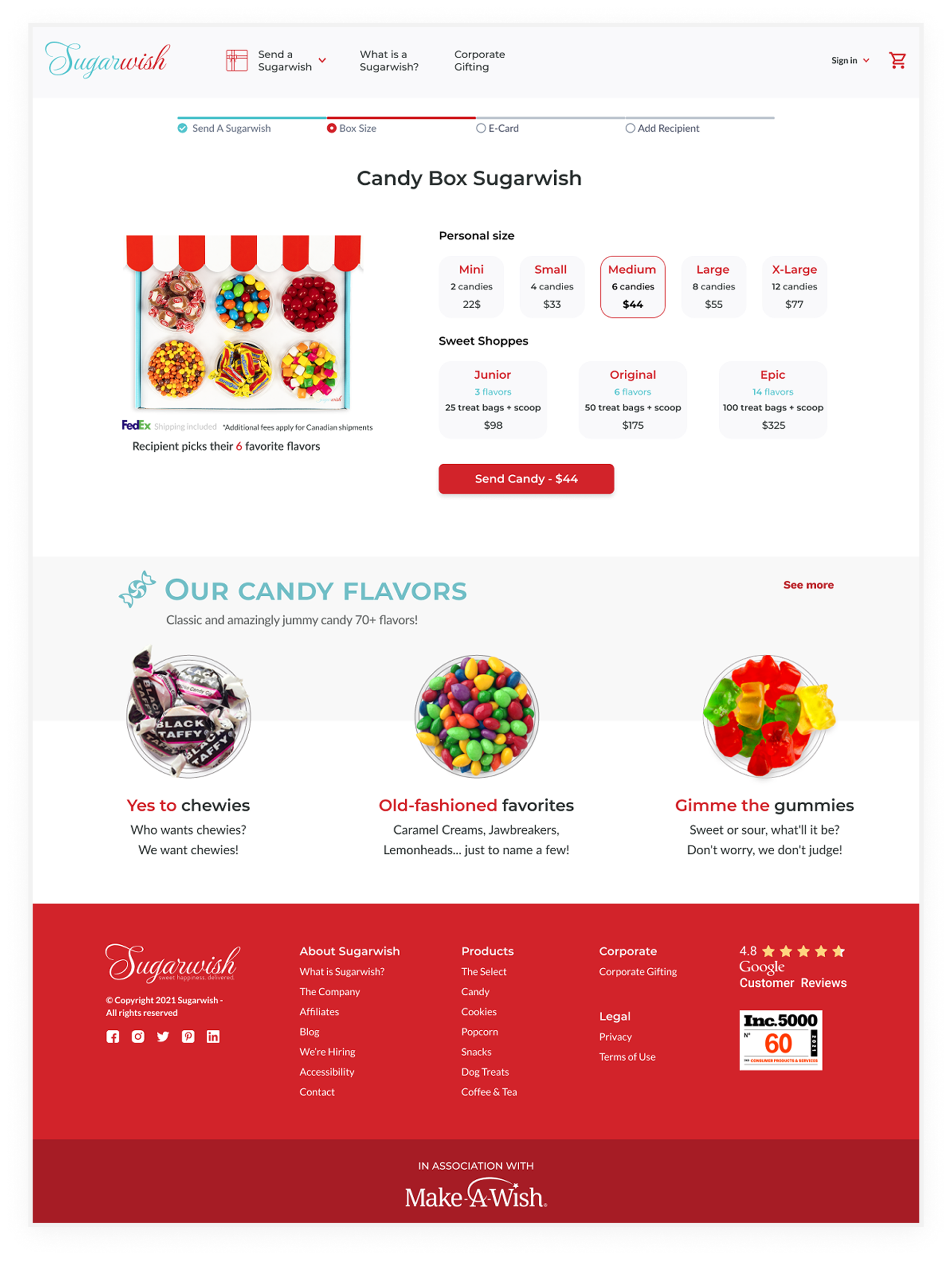
However during the second usability testing we realised that the users are focusing on the picture and the button. And they are failing to read the info about how many flavours they are getting with the chosen box and price.
Final solution
I've put the text under the picture, so that the users would read how many flavors they are getting with the chosen box. I put the price in the main button, so that it changes accordingly with the chosen box.
Before
After
Page: E-Card
Painpoint
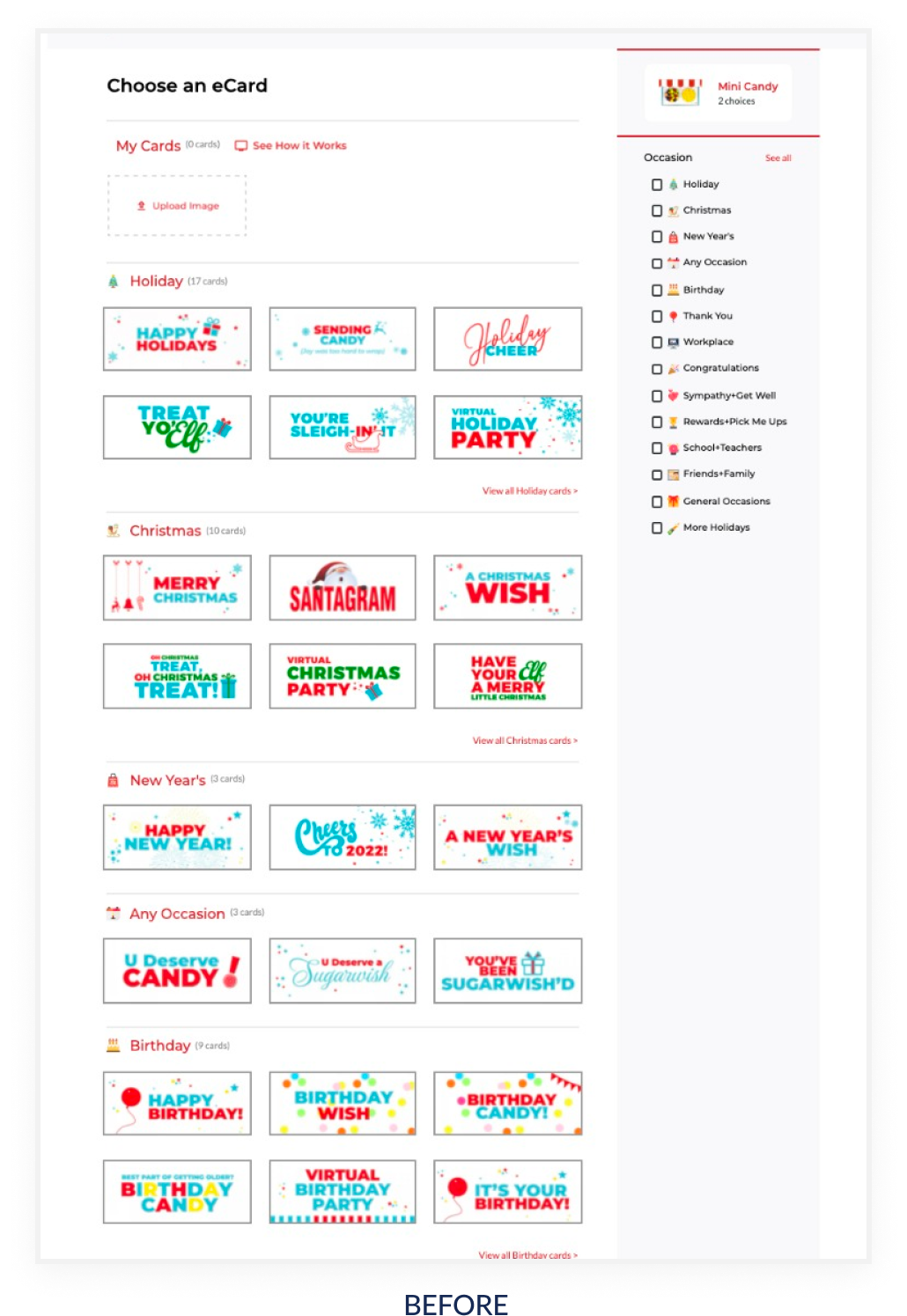
Almost all of the users were confused about the page with eCards, firstly because too many similar choices are offered at once, and secondly, because some of the users failed to notice the Occasion filter.
Some users lingered on the page more than necessary, not being able to choose e-card and often times they would completely abandon the flow at this point.
Final solution
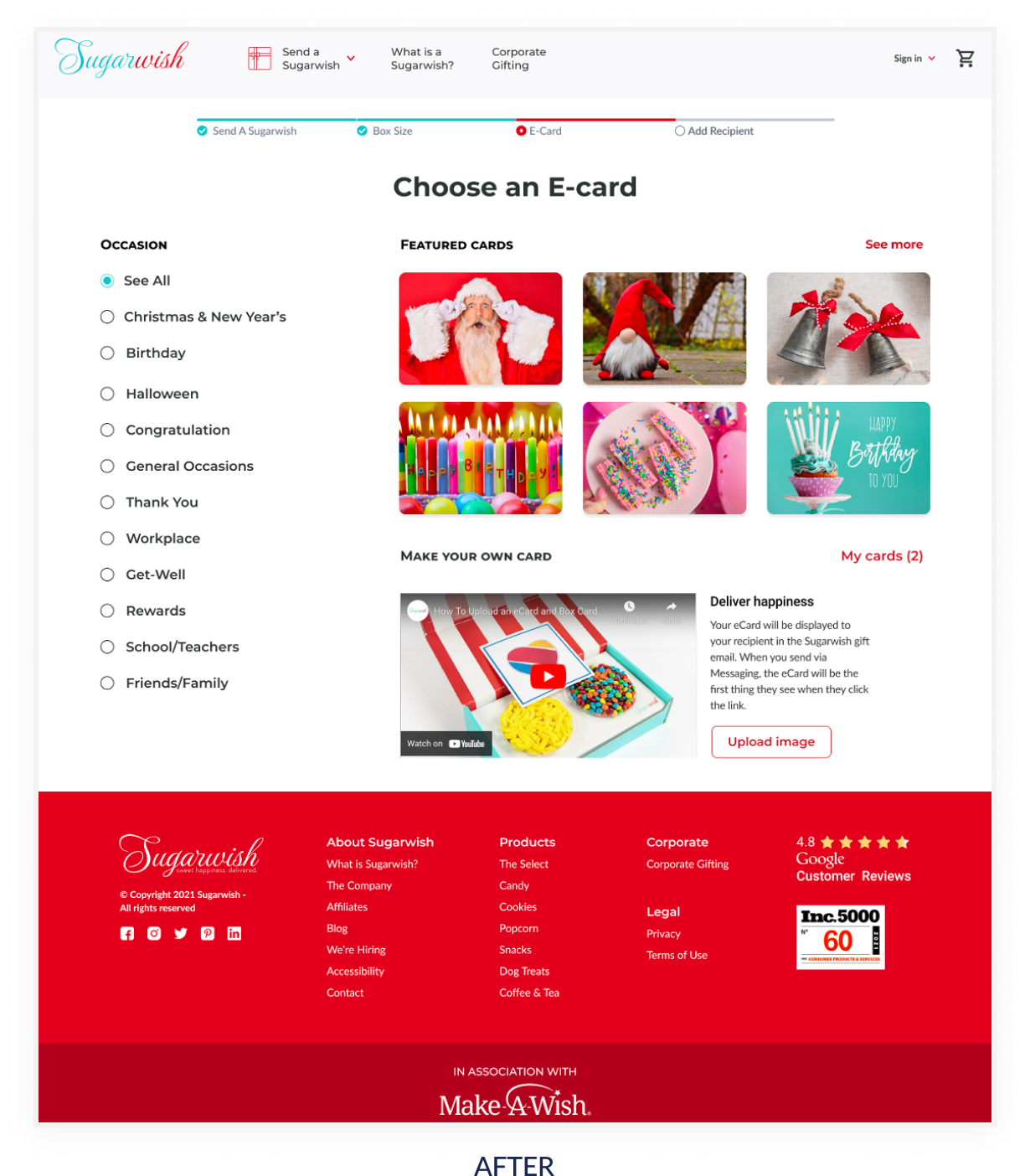
Following the UX principles regarding the "movement of the eyes" on a website, I moved the Occasion Filter on the left of the page so that it would be the first thing the user would notice.
I changed the cards, and limited the choice. Also, if the "See All" category is selected only six featured cards would be visible (as in all other categories), to prevent the user from getting confused or frustrated about their choice.
I also added the video explaining what happens with the chosen card and how the recipient would receive it.
Slide out panel Log in and Sending e-card
Log in
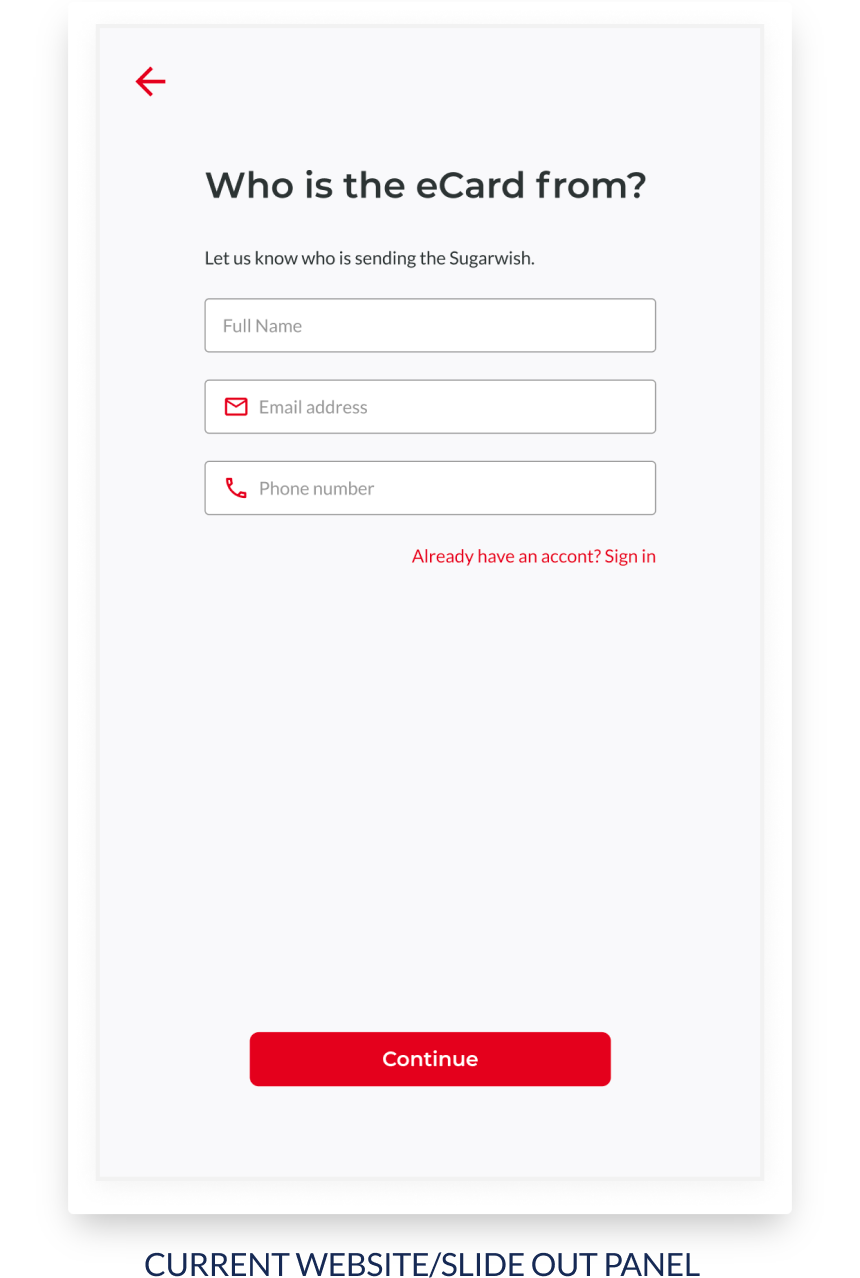
Painpoint
This step was unpleasant for the users as it came unexpectedly after they chose the e-card and some of them said that they would give up.
Users would prefer if their ordering flow is interrupted and if the logging in is given as an option rather than a requirement in some of the further steps before completing the order.
Sending e-card
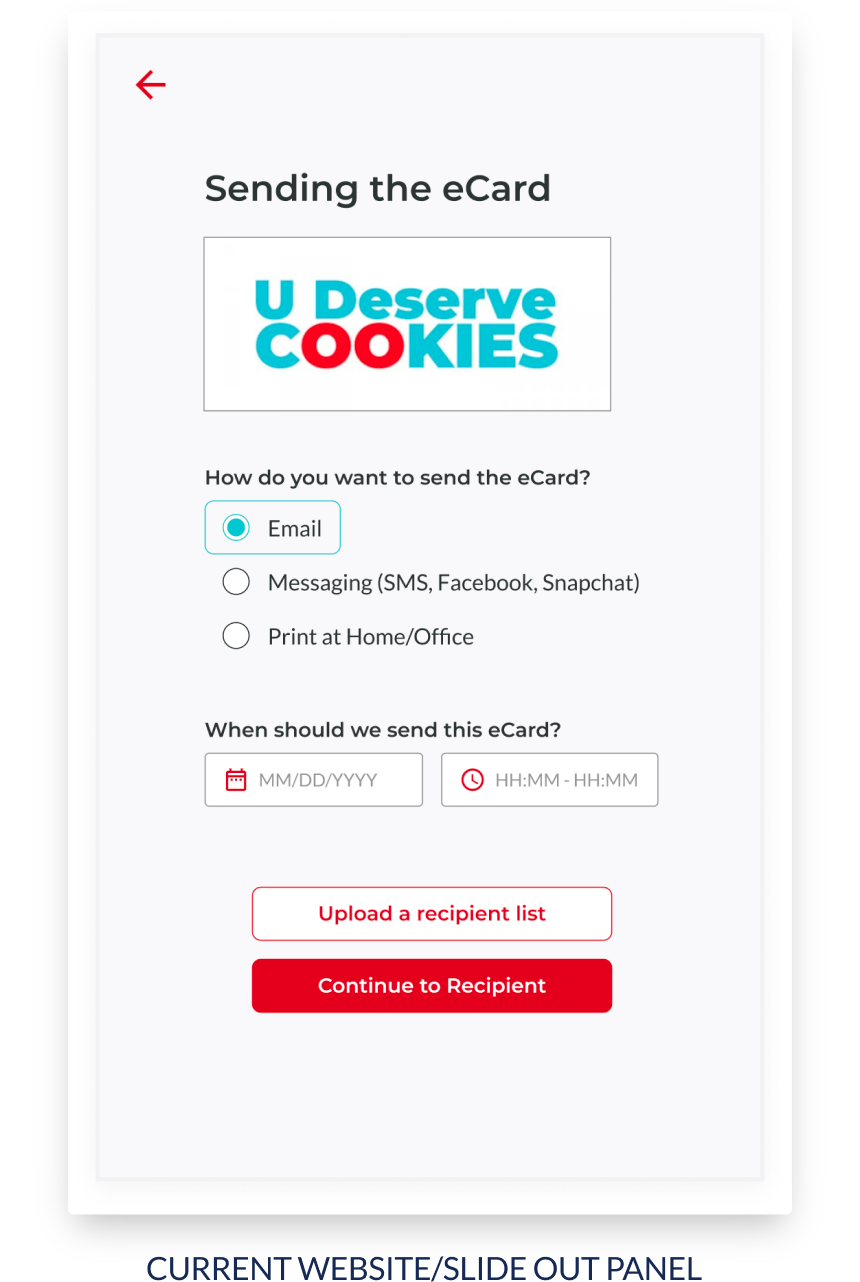
Painpoint
The users were confused about what this is actually about, why it is given such importance and why there is so much "business" they have to do which prevents them from completing the order.
On the other hand, some remarked that the messaging/facebook option looks like spam, while for the printing option it is not clear who prints the card and how.
Page: Add recipient
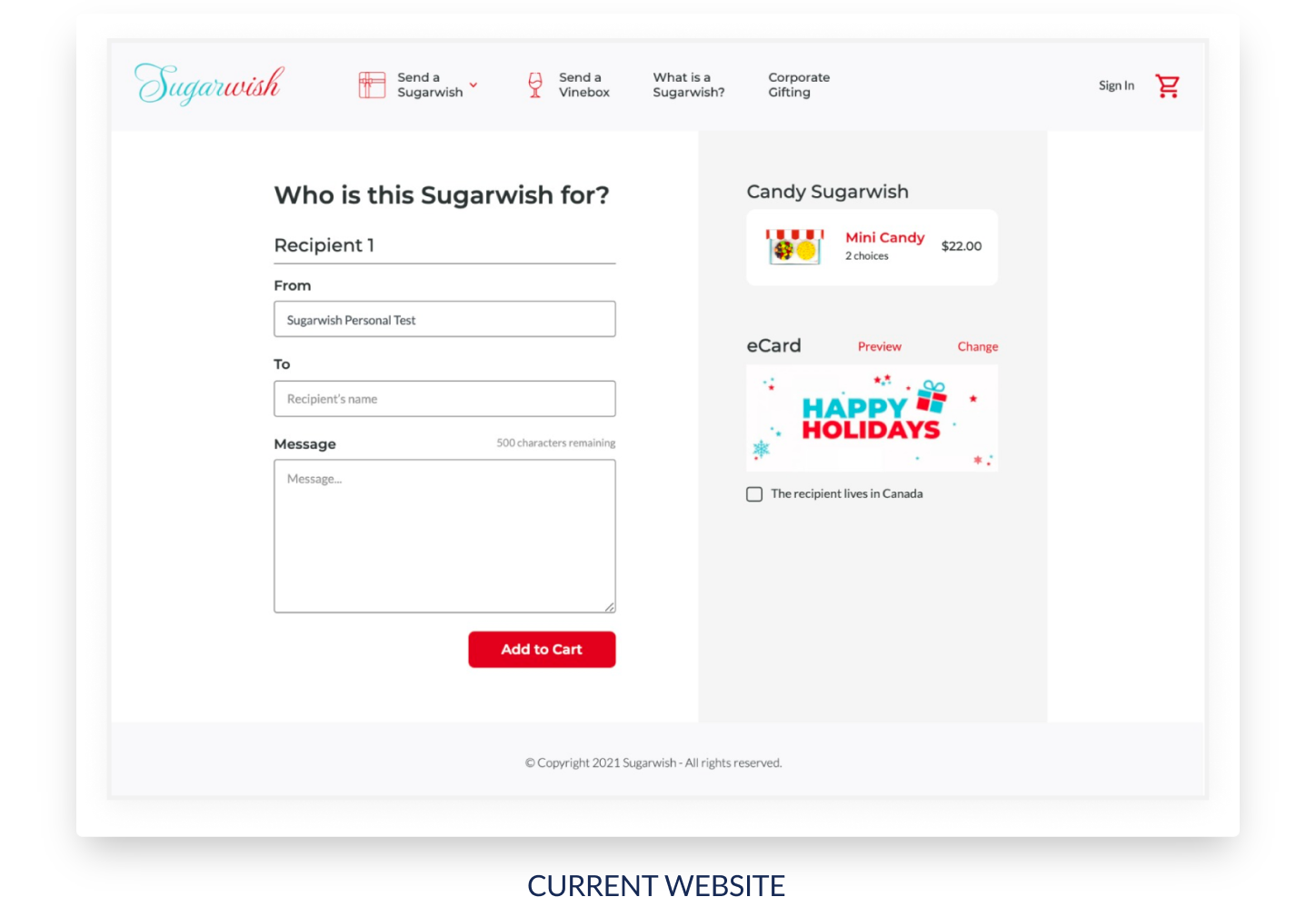
Painpoint
Users were wondering how they could change the order from this particular step if they wanted to do so.
They expressed dissatisfaction with not being able to move back and forward on the website, change their order, and see their order whenever they wanted to.
Final solution
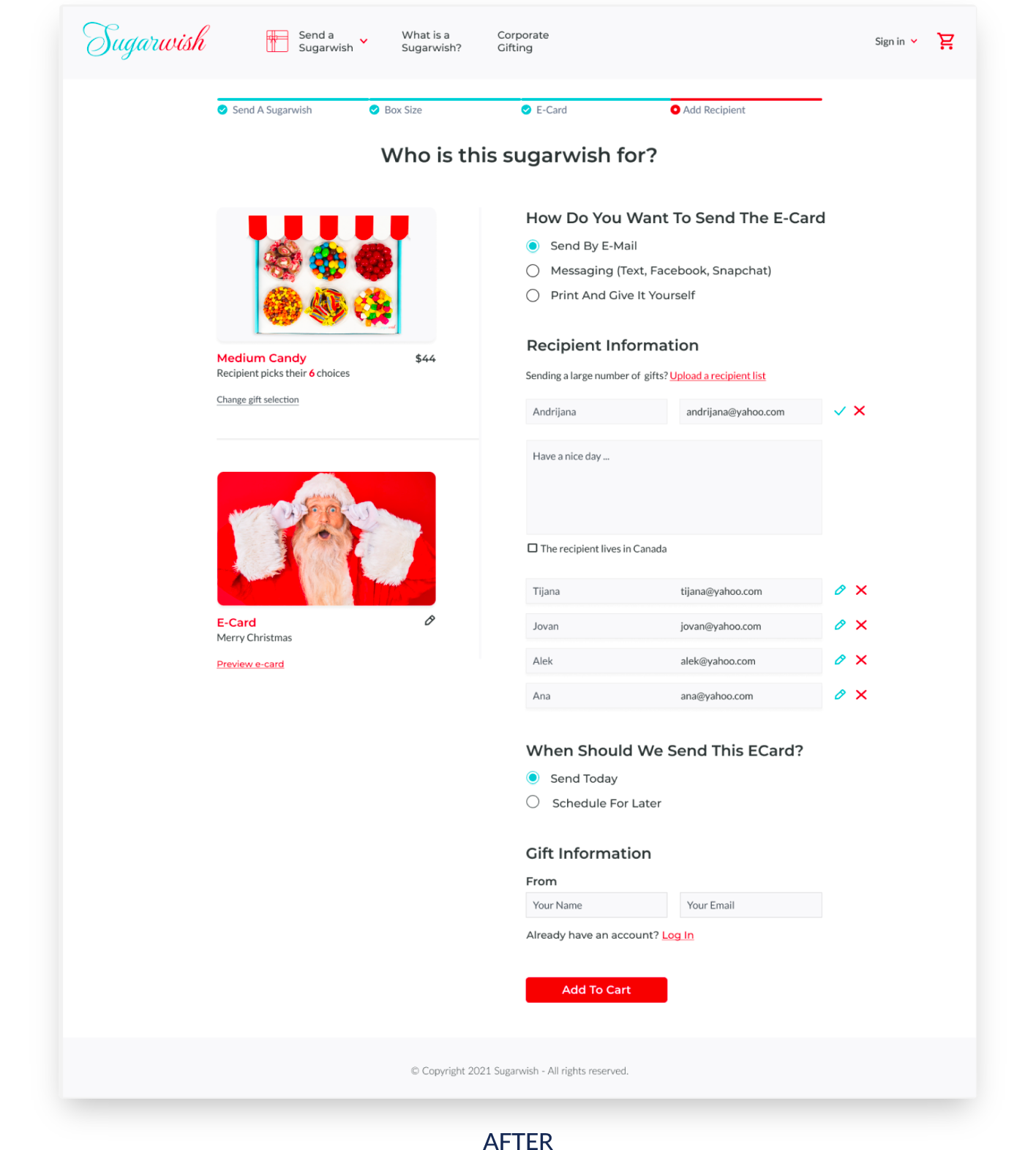
My biggest challenge at this point was to simplify the steps and adapt the flow to the users' expectations, in order to provide a pleasant journey and avoid confusion and frustration.
What I did it was a simple merging of the three slide out panels (Log in, Sending eCard and Add recipient) into one screen. To avoid further frustrations and confusion I designed page where I added all this features where users can:
- preview and change his order, e-card
- add, change, preview, and remove recipients
- log in
- improved UI by making the images stand out
- added an option to send the eCard today or schedule for later, making it possible for the user to completely skip the calendar step and to lower the cognitive load all together if they don't want to go through the dates.
Page: Shopping cart
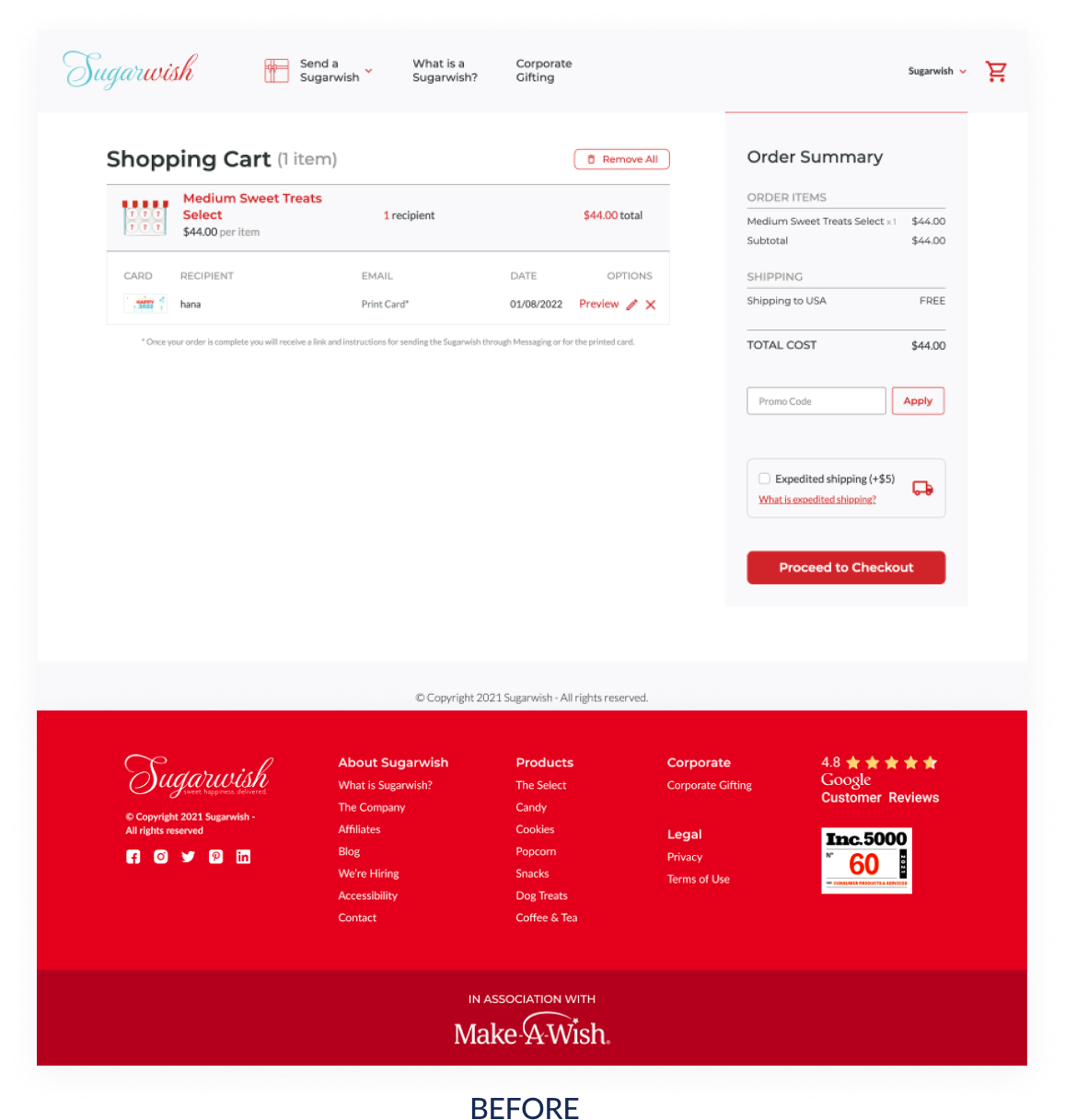
Painpoint
The shopping cart icon do not indicate the number of the items in it making it a bit confusing for the users as to whether they have successfully added something into the cart or not.
During the second usability testing the remark we got was that the "Log In" option should be optional and at the very end of the flow, perhaps where the cart is.
Final solution
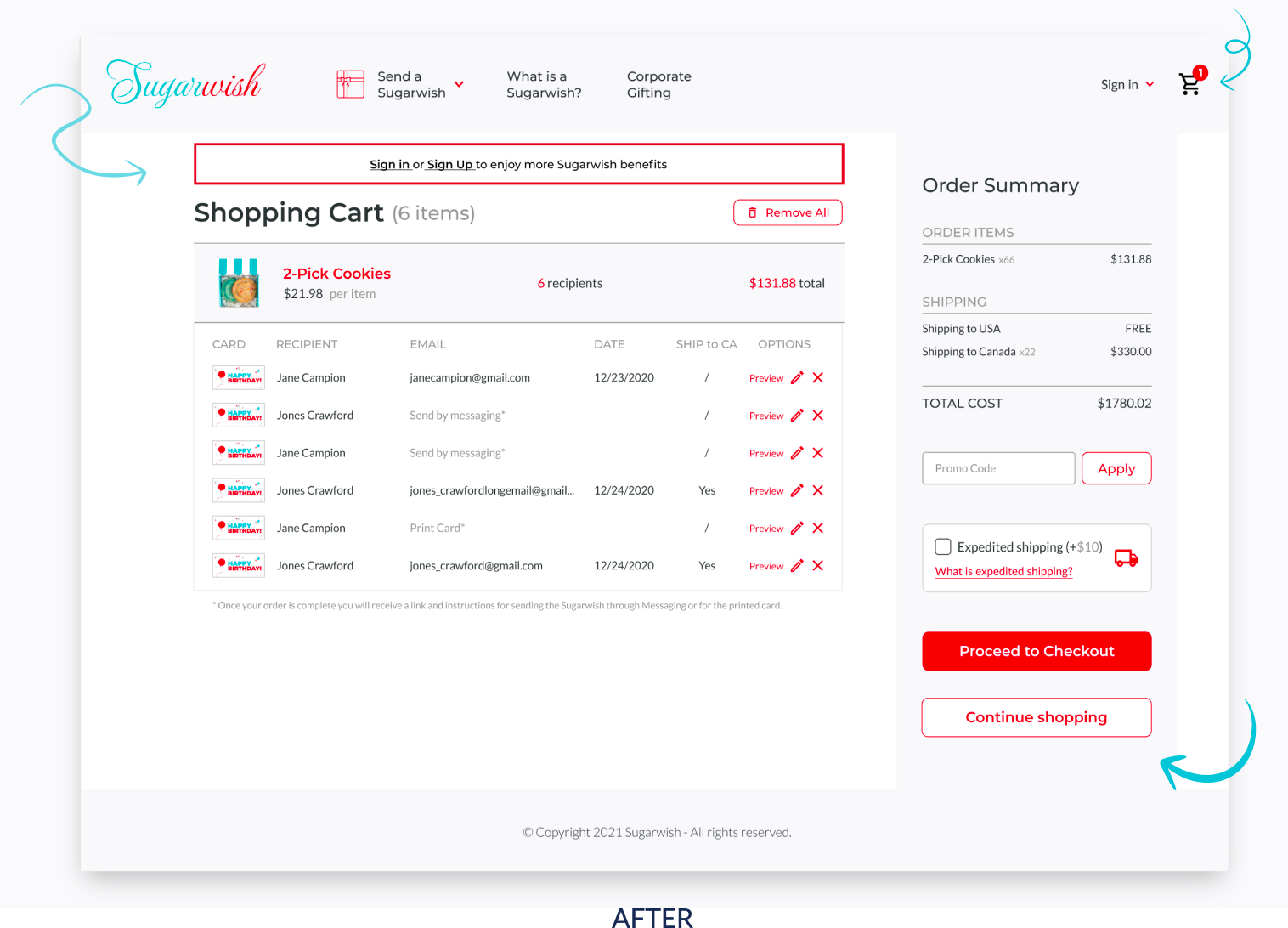
The shopping card icon now shows the numbers of items in it, making it easier for the users to keep track of what they are buying. To avoid any confusion among our users, I designed slide out panel with system feedback massage that would notify the users that their card is empty if they haven't purchased anything yet.
I added a Continue shopping button, to signal to users they can easily leave the cart without losing its content, or they can proceed with the payment. I followed our users preference and I moved the login option at the very end of the user flow, where the recipient can preview their complete order and where they can proceed with the payment.
08 · Prototype & outcome
Making the ideas come alive
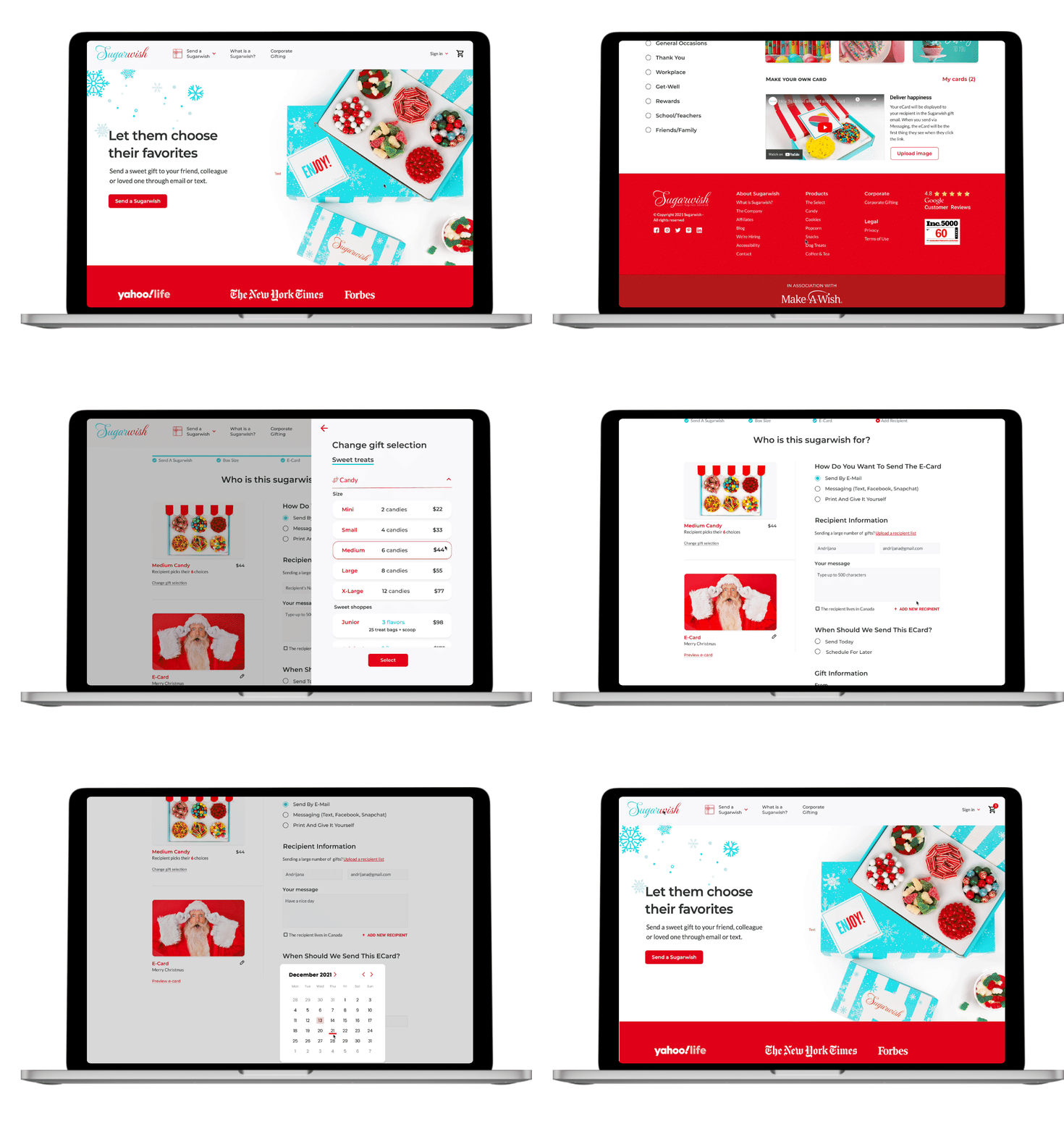
To deliver the ideas into a tangible design on display, I created clickable prototype using Figma.
Client feedback
Team Sharks - the best solution. We feel that from all the teams Sharks had the best desktop solution for the flow. We liked the size presentations on the Choose size screen and the simple filters for the eCards. The recipient page was a little messy, but it still followed established patterns. We appreciated the complete approach that the group took before dealing with the actual problems. Based on their studies they identified specific issues (aka pain points) and addressed them accordingly.
It would have been great to see how the group would address the mobile flow, but the absence of mobile screens is not taken as a negative.
Lessons learned, and where we go from here
It was a fun yet quite challenging experience working on this project because it was first time for me doing re-design on small subset of screens of already existing website.
This project taught me how to work within the constraints of an existing product and design within an existing system, relying on already present design patterns and components. Since users are already familiar with these conventions, breaking them could hurt usability.
Most importantly I learnt that the first ideas for the website are only the beginning of the design process and "no design is perfect, there is always a room for improvements". Usability testing and feedback influenced each iteration of the sugarwish ordering flow design and that point to me to appreciate gradual improvement rather than striving to perfectionism.
Based on the feedback of the stakeholder, the next steps for this project are to work on iteration on "The recipient page" and get it into the hands of more users for further validation. Create mobile flow and create the experience the client is desiring and meet user needs.